

Summary
Working from home can strain your body, but using ergonomic tools—like adjustable chairs, monitor risers, footrests, and wrist supports—helps improve posture, reduce pain, and increase comfort and productivity throughout the day.
When you buy through our links, we may earn a commission. Learn More.
Working from home has its perks; no commute, more flexibility, and maybe even your favorite slippers at your desk. But spending hours seated at the kitchen table or on the couch hunched over a laptop can wreak havoc on your posture, energy levels, and long-term health. That’s where ergonomics comes in.
By designing a home office with comfort and alignment in mind, you can reduce strain, improve focus, and feel better at the end of the workday. Here’s how to sit smarter with ergonomic tools that make all the difference.
Why Ergonomics Matters
Poor posture while working doesn’t just feel uncomfortable, it can cause lasting problems. Forward head posture strains your neck, hunched shoulders create tension, and sitting too long tightens your hips. Small daily habits compound over time, potentially leading to chronic pain and reduced productivity.
The good news? A few strategic upgrades can prevent these issues and help you feel better throughout your workday.
Must-Have Ergonomic Tools
1. Adjustable Desk Chairs
Your chair is the foundation of good posture. Look for adjustable height, lumbar support, and armrests. A quality chair keeps your spine in its natural S-curve and reduces pressure on your lower back. This single upgrade often provides the biggest improvement to your workspace comfort.
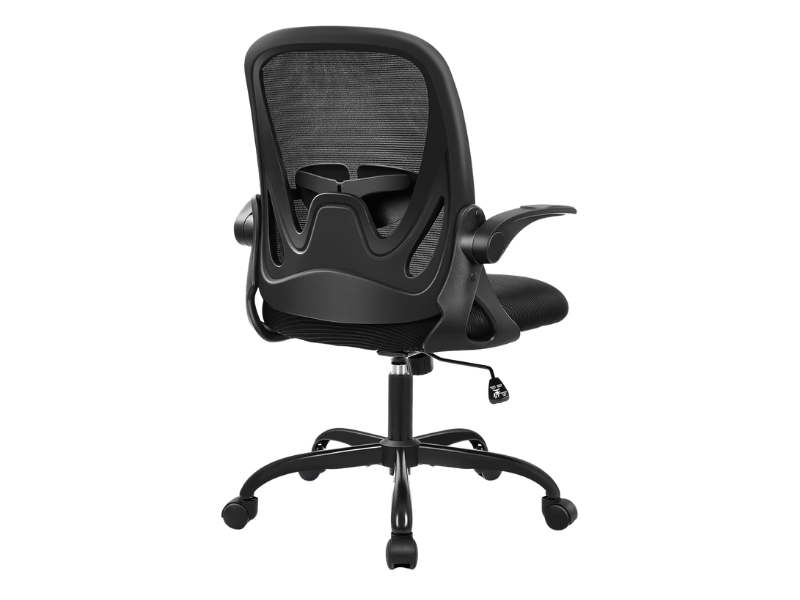
Primy Ergonomic Office Chair with adjustable lumbar support, breathable mesh, cushioned seat, flip-up armrests, and smooth swivel wheels for comfort and space-saving use.
2. Monitor Stands & Laptop Risers
If you’re constantly looking down at a laptop, your neck is doing all the work. Raising your monitor to eye level keeps your head and spine aligned, reducing strain. Bonus: monitor stands can free up valuable desk space.
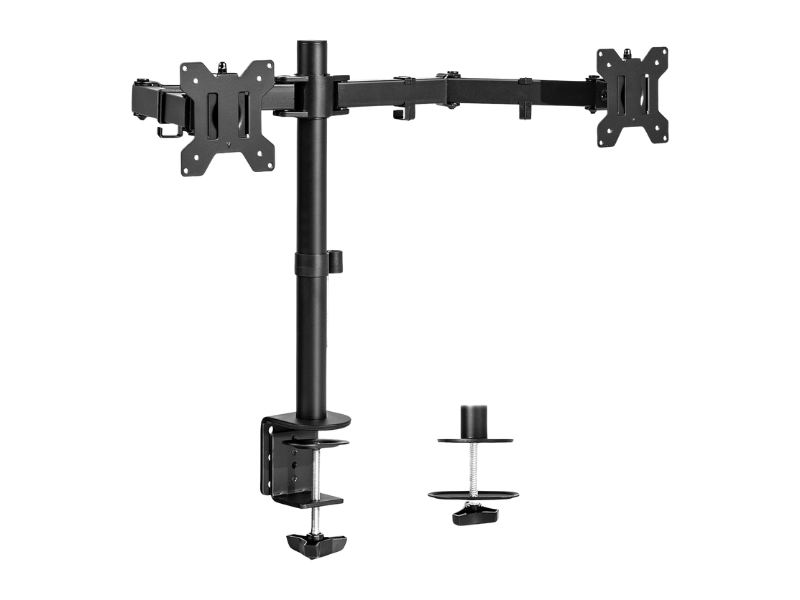
VIVO Dual Monitor Desk Mount fits 13″–30″ screens up to 22 lbs each with VESA 75x75mm or 100x100mm. Features tilt, swivel, rotation, height adjustment, heavy-duty C-clamp/grommet base, cable management, and easy installation.
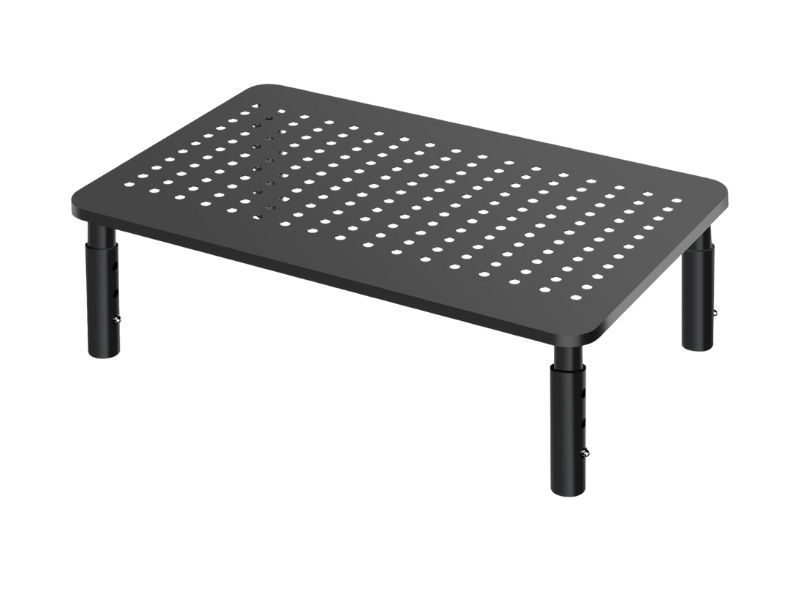
Bracwiser Metal Monitor Stand Riser with 3 adjustable height levels (100/120/140mm), sturdy vented platform, anti-slip pads, and 20kg weight capacity. Easy tool-free assembly, fits laptops, monitors, printers, and more.
3. Footrests
Your feet should rest flat on the floor when sitting. If your chair is too high, a footrest helps maintain a 90-degree knee angle, improving circulation and comfort. Especially helpful if your chair height doesn’t perfectly match your desk.
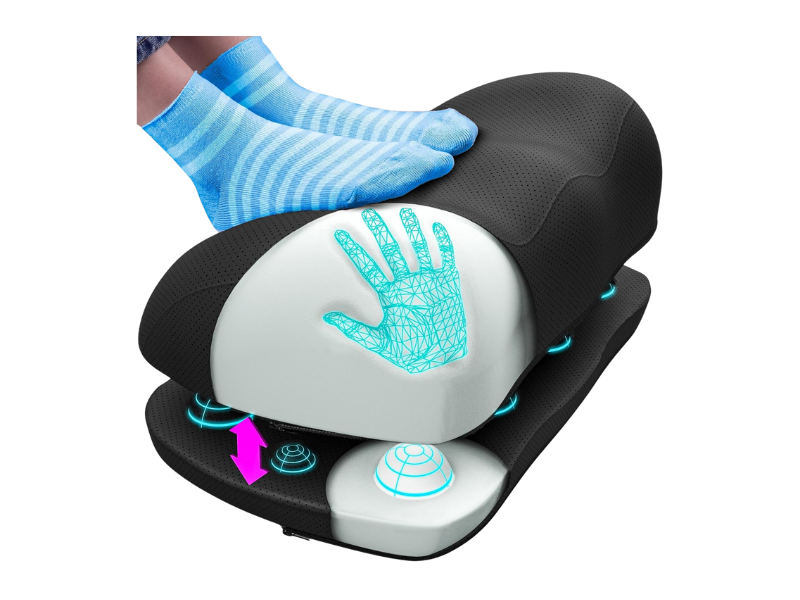
The Everlasting Comfort Foot Rest features memory foam that supports posture, relieves pressure, and improves circulation. With massage nodes, a non-slip base, and a washable cover, it’s perfect for work, gaming, or home use.
4. Ergonomic Keyboards & Wrist Supports
Typing for hours can take a toll on your wrists and forearms. Ergonomic keyboards and cushioned wrist supports help keep your hands in a more natural position, lowering your risk of repetitive strain injuries like carpal tunnel syndrome.
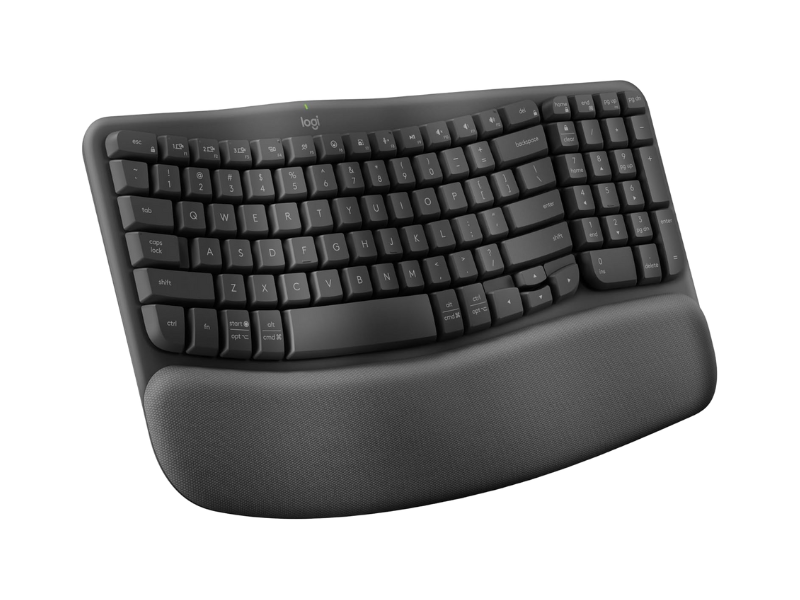
Logitech Wave Keys Wireless Keyboard with ergonomic wave design and cushioned palm rest for comfortable typing. Compact layout improves posture and works via Bluetooth or Logi Bolt across multiple OS.
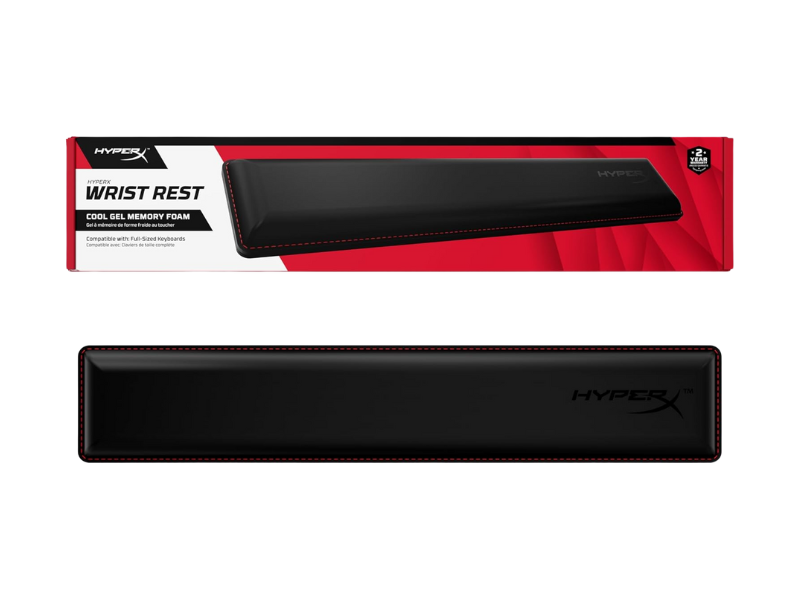
HyperX Full-Sized Wrist Rest with cooling gel memory foam, ergonomic design, anti-slip base, and durable anti-fray stitching for comfortable typing.
Quick Tips for a Healthier Workspace
- ✔ Keep your monitor at eye level and about an arm’s length away.
- ✔ Adjust your chair so your hips and knees are at 90 degrees.
- ✔ Keep your elbows close to your body when typing.
- ✔ Take micro-breaks every 30–60 minutes to stretch and reset.
Want to take your workday wellness a step further? Check out our guide for simple ways to stay active at your desk.
Making the Investment
Quality ergonomic tools require upfront cost, but consider the alternative: potential medical bills, missed work days, and daily discomfort. Start with your chair and monitor position, these typically provide the most immediate relief. Add other tools gradually based on your specific needs.
Many employers offer home office stipends, and these purchases may be tax-deductible for self-employed workers.
The Bottom Line
Sitting all day doesn’t have to leave you stiff and sore. With the right ergonomic tools, like an adjustable chair, monitor riser, footrest, and wrist support, you can create a workspace that prioritizes your comfort, focus, and long-term health.
~Read more from The Health Insider~
- Top 5 Shock-Absorbing Running Shoes to Protect Your Joints
 SummaryDiscover the best shock-absorbing running shoes to protect your joints and improve recovery. Learn how proper midsole cushioning reduces impact forces on your feet, ankles, and hips during long road runs. Explore top-rated, comfortable footwear options from HOKA, Brooks, ASICS, New Balance, and Saucony for every stride. Running is one of the simplest ways to…
 - Living Near a Golf Course May Raise Your Parkinson’s Risk, Study FindsA new study found people living within a mile of a golf course had significantly higher odds of developing Parkinson’s disease. Here’s what it means.
- IBD Is a Gut Disease. So Why Does It Start Affecting Mental Health Years Before Diagnosis?New research shows anxiety and depression often start years before an IBD diagnosis. Learn how chronic gut inflammation affects mental health.
- Fibroid Relief: New Treatments On The HorizonDiscover how groundbreaking, non-invasive treatments are restoring hope, preserving organs, and freeing women from life-altering fibroid pain.
- Canada’s Cigarette Packages Just Got a Lot Harder to IgnoreCanada has launched new graphic warnings on cigarette packs and individual sticks. Learn how these updated labels aim to reduce smoking rates.
- Leafy Greens Ranked For Top Health BenefitsExplore our definitive ranking of Canadian summer greens. Learn the health benefits of local arugula, spinach, chicories & more.






The information provided on TheHealthInsider.ca is for educational purposes only and does not substitute for professional medical advice. TheHealthInsider.ca advises consulting a medical professional or healthcare provider when seeking medical advice, diagnoses, or treatment. To read about our editorial review process click here.


